What's actually in the box
No mock-ups, no roadmap promises — every screen below is a real, live screenshot of the product. Try them yourself with the demo workspace.
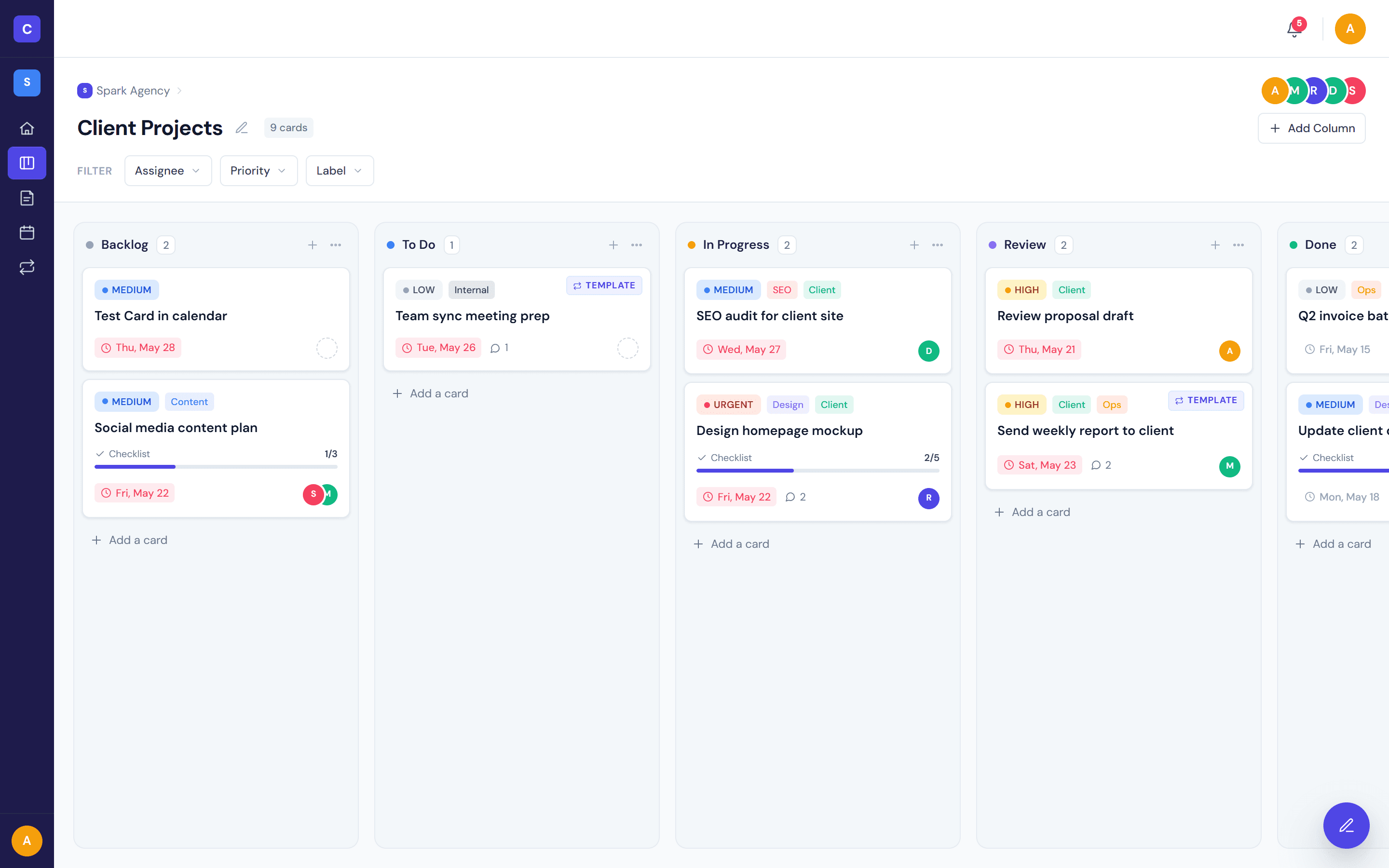
Drag, drop, ship.
A boards experience that respects the muscle memory you already have. Cards move smoothly between columns, columns reorder with a drag, and the keyboard works too.
- Real pointer drag-and-drop with screen-reader announcements
- Filter by priority, assignee, or label
- Five default columns — rename, recolor, reorder freely
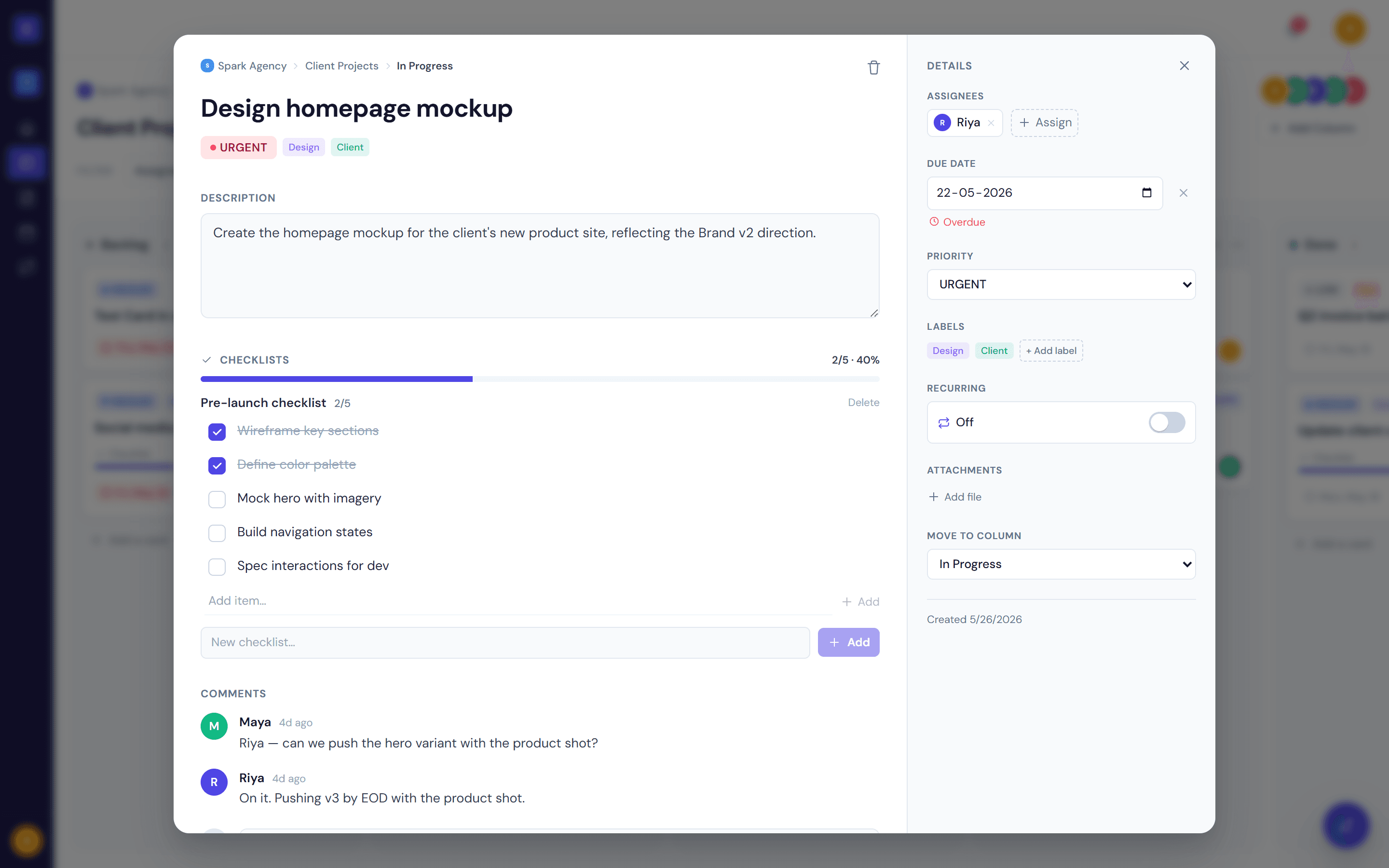
Everything a card should have. Nothing it shouldn't.
Open any card for a full editing surface: description, assignees, due date, checklist, comments, attachments, and a complete activity log.
- Checklists with a live progress bar
- @mentions in comments — they trigger notifications
- Activity log records every change, with who and when
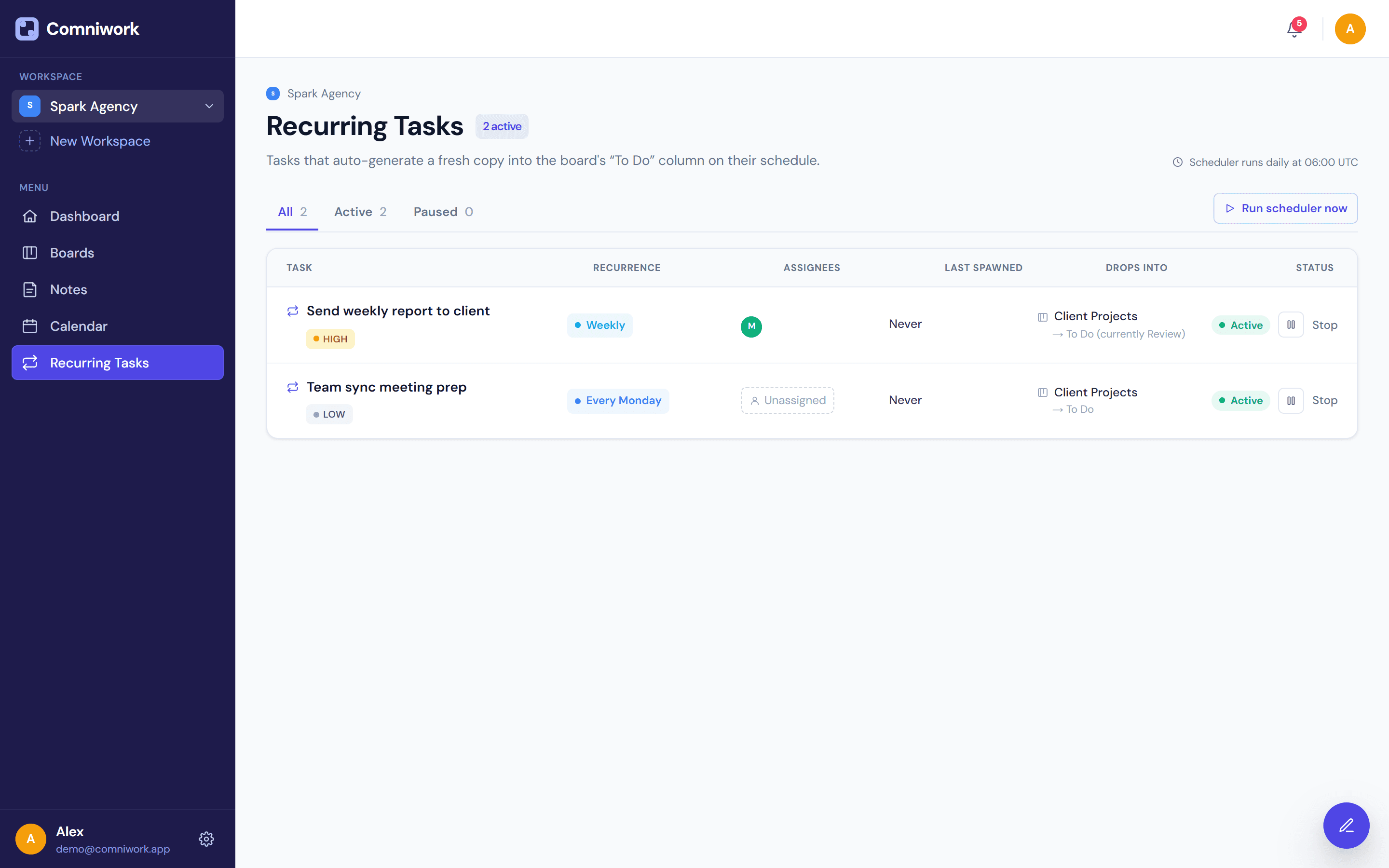
Set it once. Forget it forever.
Any card can be made recurring with one toggle. A fresh copy lands in your To Do column on schedule, pre-assigned to the same people.
- Six rules: daily, weekly, biweekly, monthly, every Monday, 1st of month
- Pause and resume without losing the template
- Dedicated management view shows every recurring template
A doc, where the work happens.
Tiptap-powered rich text with headings, lists, tables, code blocks, and links — organised into folders and pinned when they matter most.
- Folder organisation with drag-to-move
- Pin the docs your team actually reads
- Quick scratchpad — never leave the page you're on
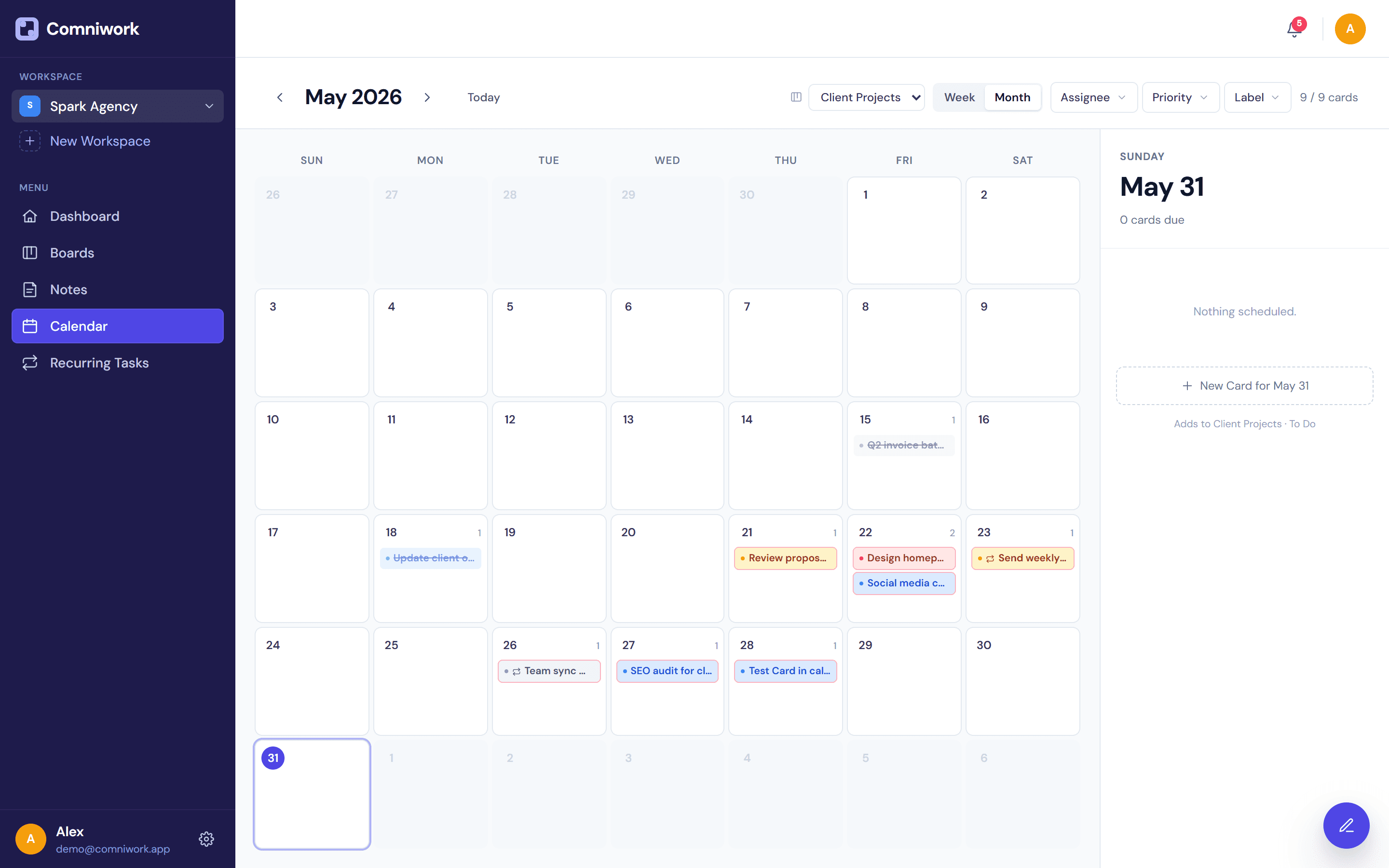
Plan the week, not just the day.
A month view that mirrors your boards. Every due-dated card shows up, colour-coded by priority. Click any date to schedule a new task in place.
- Cross-board view — filter to one if you want
- Click-date quick-add creates a card on that day
- Overdue rendered in red, today highlighted
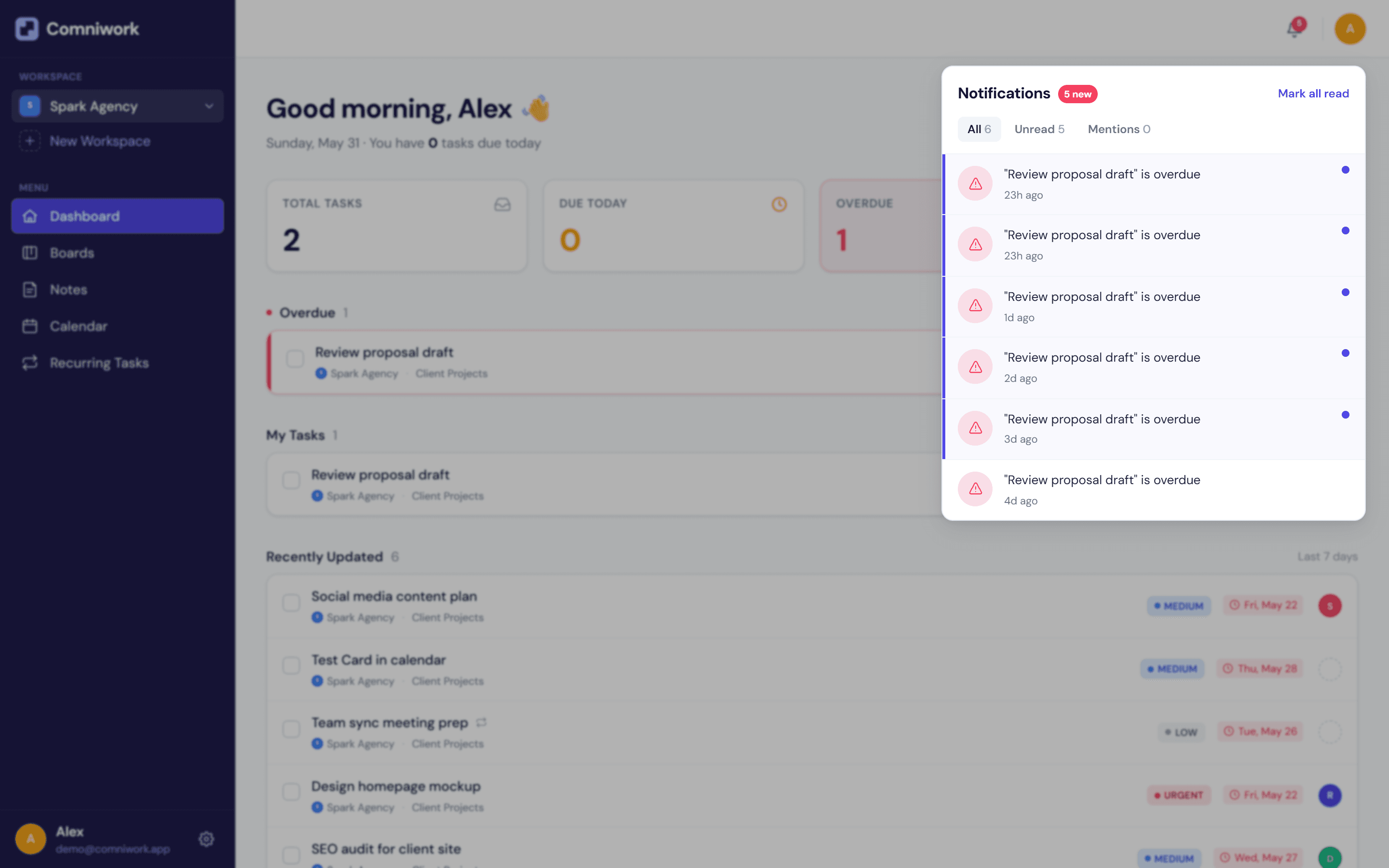
Get told. Don't get spammed.
Real-time notifications when you're assigned, mentioned, or when something you care about is due, overdue, or done. Mark one, mark all, get on with your day.
- Six trigger types — every one is opt-in by behaviour, not setting
- Unread badge on the bell, on the mobile tab bar
- Deep-links straight to the relevant card
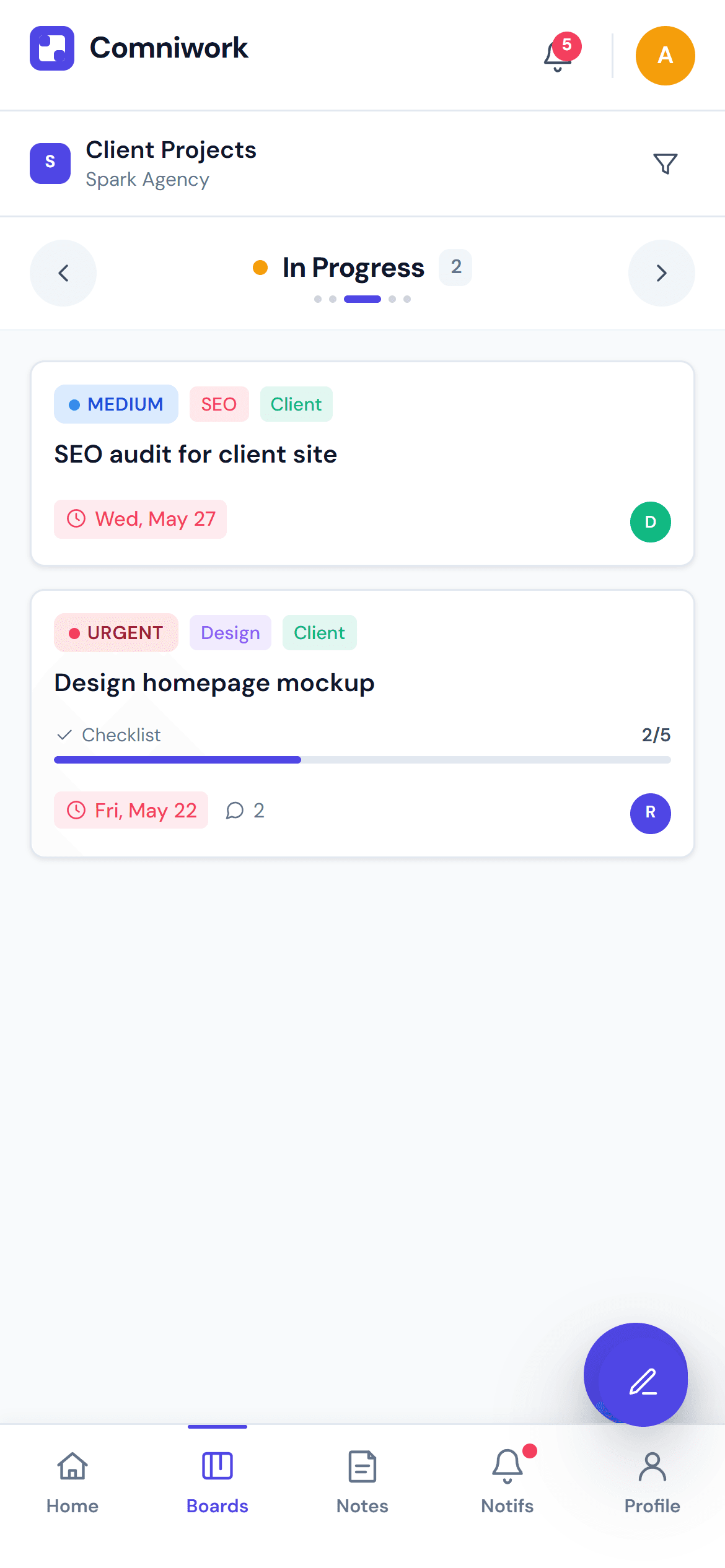
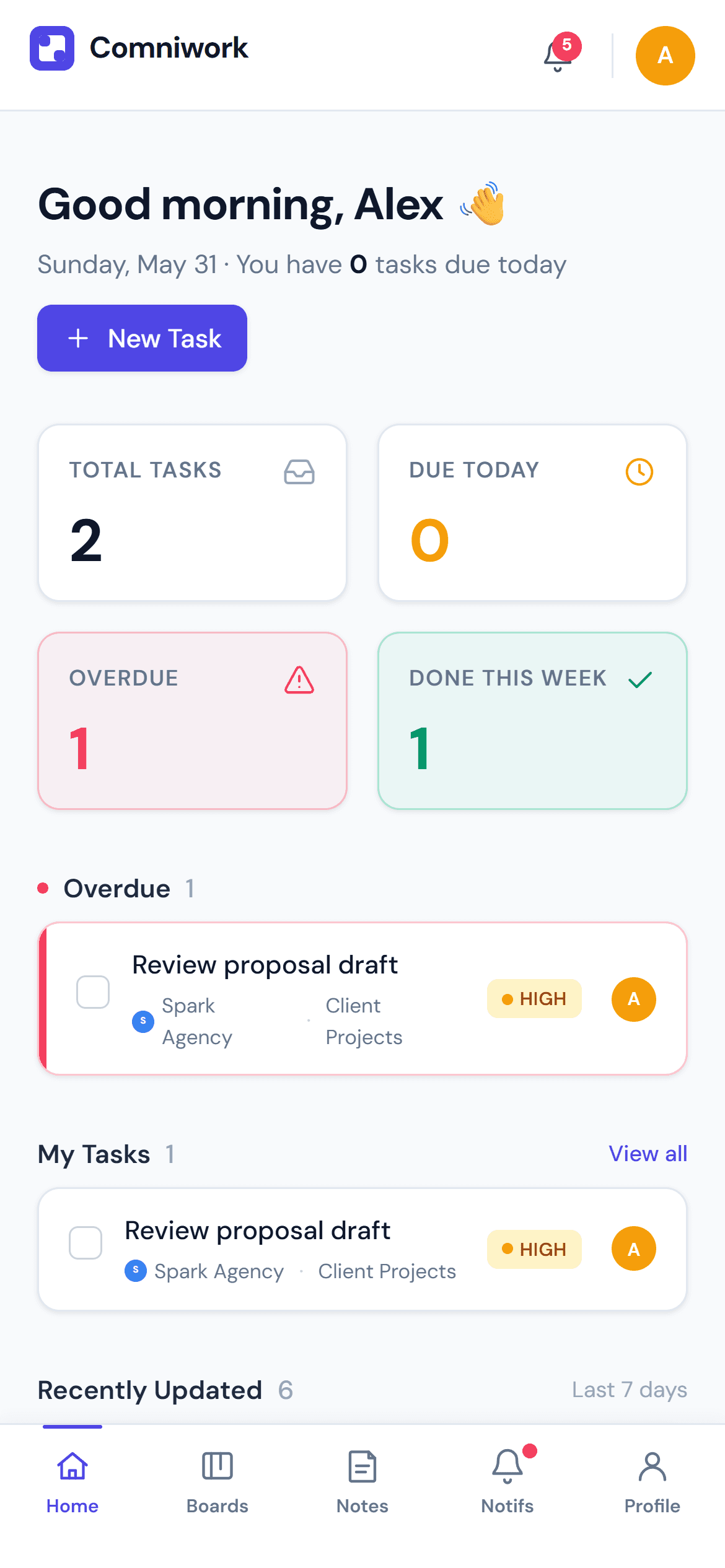
Built for the device you actually open
Bottom nav, swipe-paginated boards, profile sheet — the mobile experience isn't a shrunken desktop, it's its own thing.
Native, not bolted on
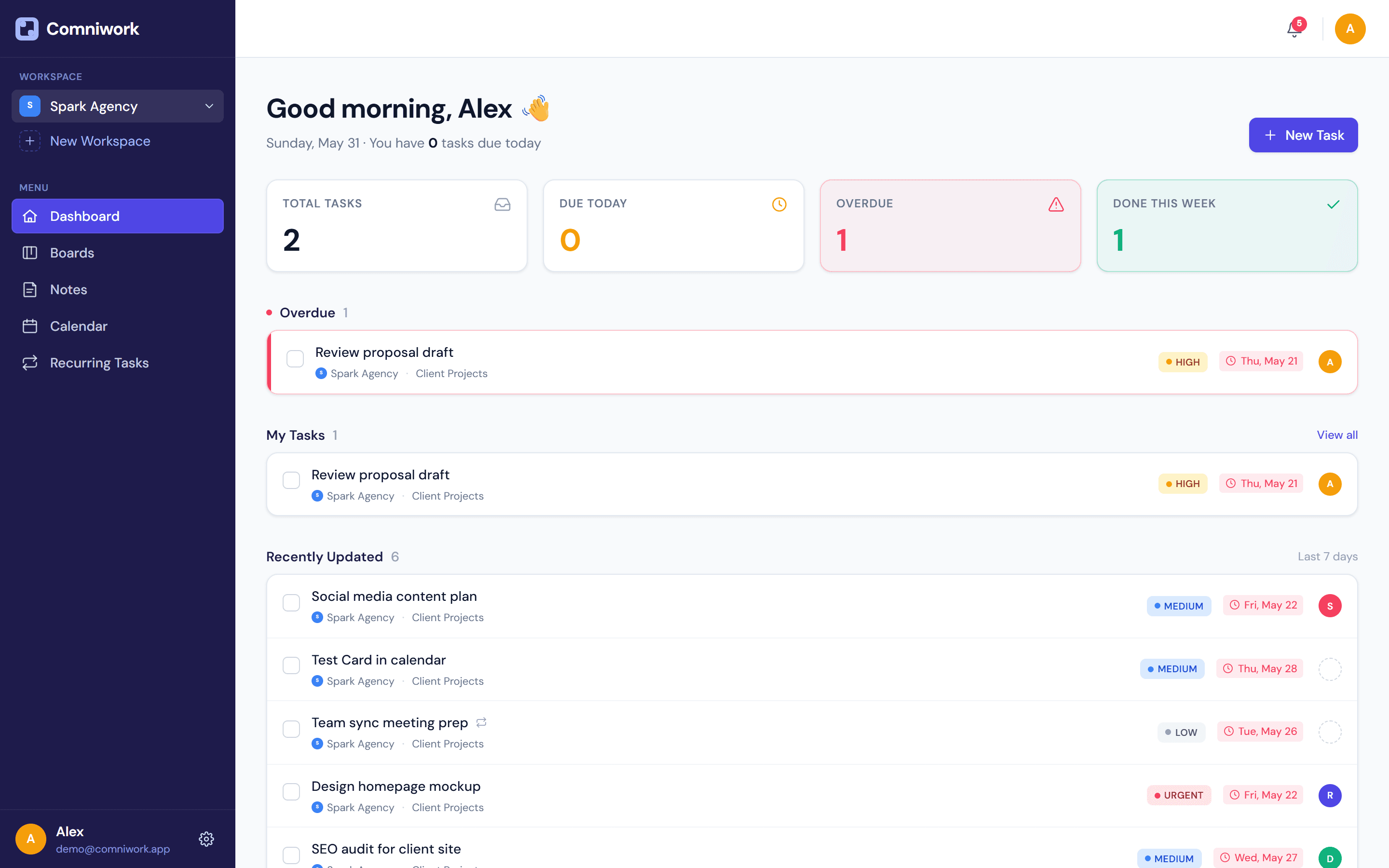
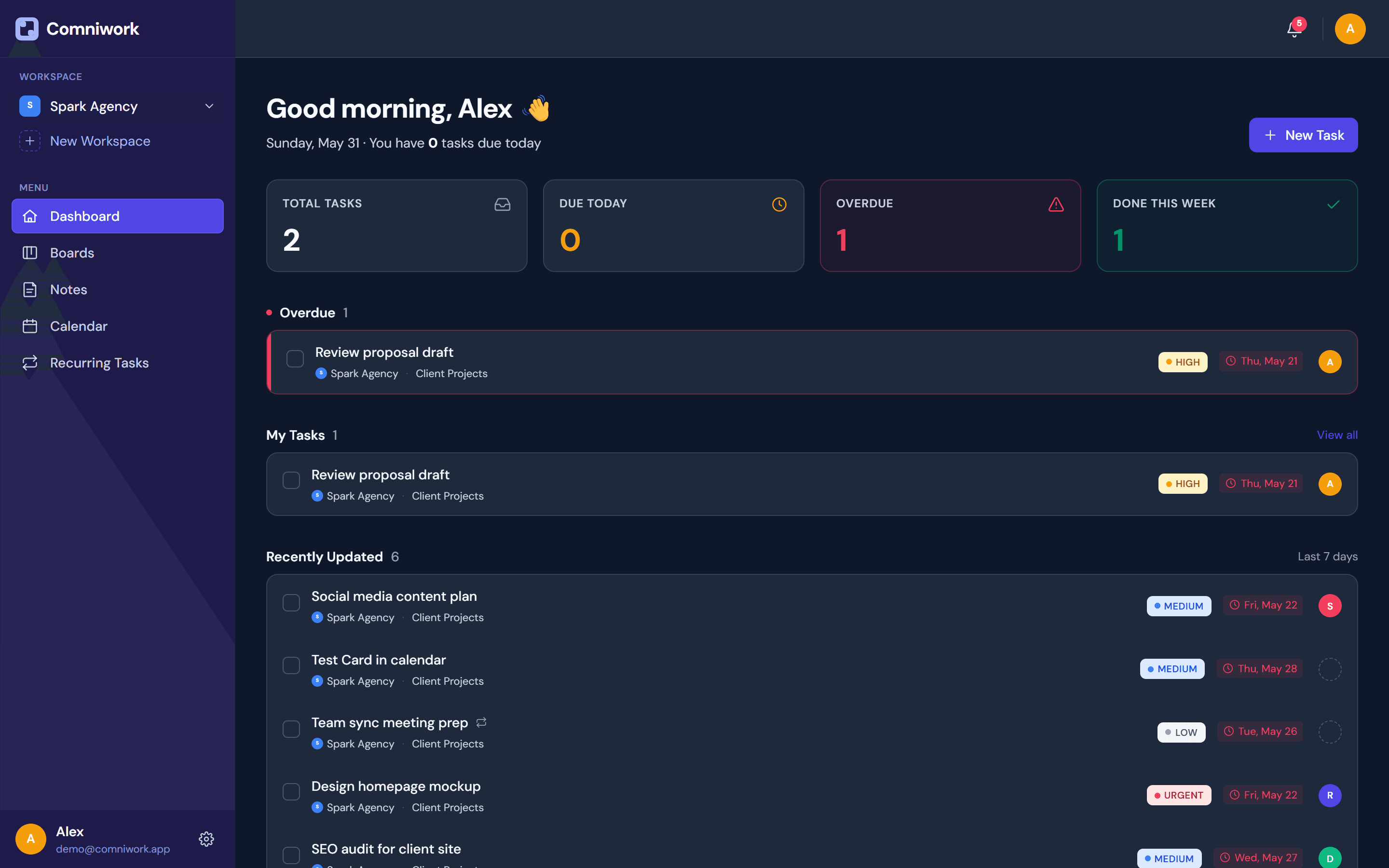
A single CSS variable swap re-themes the whole app. Every screen below was rendered the same way you see it.
Want one of these, but yours?
Tell us what you're building. We'll come back with a plan within a business day.